For brands
Fit recommendation plus try-on, built from the same image your customer just uploaded. No quiz. No purchase history. No two-photo body scan. Works the first time they arrive on your site.
01 / 01This is the live demo. Upload a photo to see it in action.
One fit on purpose. The showcase is the demo.
For brands
CHECK isn’t one widget. It’s three configurations, depending on what you’re solving for.
Visual
“Does this look like me.”
The try-on layer renders your garments on the customer’s own photo, in your campaign register. Closes the gap between lookbook image and self-image before checkout. Best for taste-led brands where the buying decision is silhouette, styling, and aesthetic fit.
Fit
“Is this my size.”
No questionnaire. CHECK reads the answers from the same photo your customer uploaded. Proportions, shape, drop. Cross-referenced against your size chart, surfaced as one recommendation with per-dimension reasoning. The engine knows what a slip dress is, what an elastic waistband does, what a bandeau dress isn’t supposed to fit through the chest. More on that below. Best for brands where sizing complexity drives bracketing and avoidable returns.
Visual + Fit
“Both.”
The full fitting room. See it on you. Find your best size. Add to cart. Best for premium positioning where the customer needs emotional and rational confirmation before committing.
Sixty-day pilot, 30 live and 30 measured. Same threshold model, same A/B split, whichever configuration you pick. No invoice if it doesn’t move the numbers.
Under the hood
Most fit engines assume one model. Chest 92cm fits a 92cm chest. That works for a fitted woven shirt. It fails on half the inventory.
A tube dress hangs from the bust. The hip and waist don’t fit by girth, they drape. A slip dress skim is via the strap, not the chart row. An oversized blouse is supposed to be loose; flagging it “too roomy” contradicts the design. A drawstring waistband has a five-centimeter range, not a point.
CHECK’s engine reads the construction type from the garment image and applies a different fit model per archetype. Seven today. More as we encounter them.
For your customer, the difference is the engine labels intentional drape as intentional and saves the warnings for actual fit problems. For your team, the difference is fewer customer service tickets that begin with “the engine said my hip was too big.”
Long-tail bodies
Most bodies sit within standard proportions and the engine handles them well. About 15 to 20 percent of any customer base has proportions where one chart number doesn’t capture the full shape. Pear, apple, hourglass, inverted triangle, long torso, short torso, full bust with a smaller underbust. Most fit engines pick a single chart row and live with the gap. CHECK doesn’t.
We handle them by being honest. Dual-size when the body is genuinely between sizes. Lower confidence when the body sits outside your chart’s bracket. A one-question prompt or a single anchor garment before recommending, when we can’t disambiguate from the photo alone. The customer gets the truth, not a confident guess they return.
Two shapes still get rougher treatment today and are the first upgrades we’d ship in your pilot’s first month, once return data shows your customer base actually has them.
Full bust, small underbust. D-cup-and-up. Today we size by bust girth, which over-sizes everything except the cup itself. The fix is reading underbust separately, or accepting cup size as an optional input. Half a day’s work; we ship it in week one if your range serves this customer.
Apple-shape drop handling. The engine still penalises negative chest-waist drop on a few fitted cuts. Recognising the drop and adapting the score for it is a clean two-line change in the engine math.
Your returns tell us which of these archetypes your customers actually are. Apple-heavy, pear-heavy, full-bust-heavy, whatever the data says. The engine calibrates to your customer base, not to a generic population.
Brand calibration
Day one, CHECK uses general chart math. How does this body relate to your published size chart. A decent baseline.
As pilot data comes in, CHECK calibrates per brand. Customer kept the L when the engine said M. That signal shifts the internal offsets for your chart specifically. By day sixty, the recommendations on your catalog are tuned to your actual fit, not the nominal one.
Two pieces of math under that. Brand-level offset, meaning your M actually fits a 76cm waist, not the chart’s 74. Per-style adjustment, meaning your relaxed cuts run differently from your fitted cuts. Both update as data accumulates.
This is the part a quiz can’t reproduce. The quiz infers the customer. Calibration corrects the chart. Both have to be right.
On your product page
Not a separate page. Not a popup. One button under your size selector. One tap turns your campaign render into the customer’s own. Here’s how it looks installed.

€ 1,290
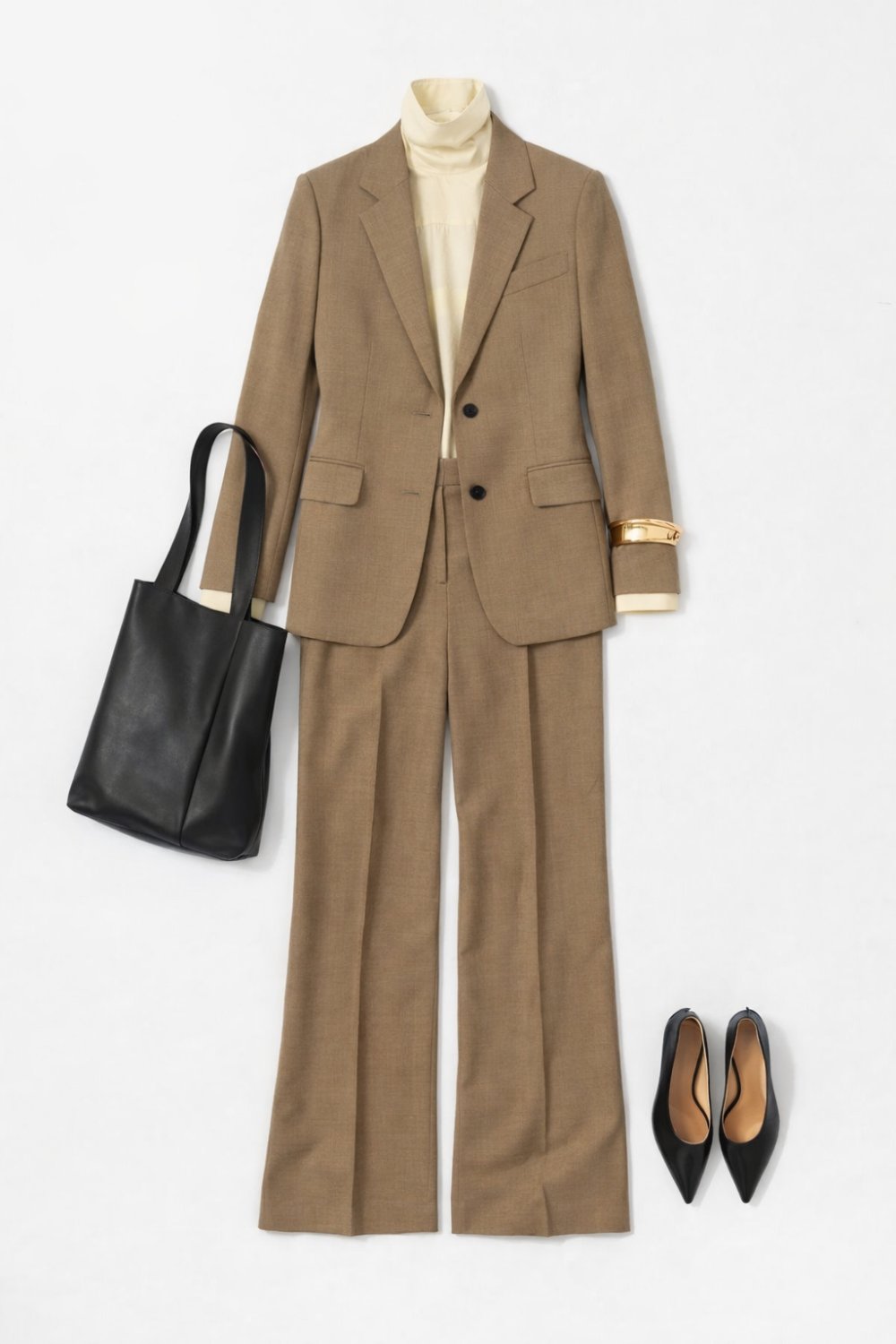
Tailored single-breasted blazer and straight-leg trouser in light wool. Italian fabric, made in Portugal.
Color
Size
What opens when they tap Try on.
See it on you.
CHECK

On Maria, 168cm, size 38.
Compared to
Honest positioning, no spin. The category breaks roughly into three shapes: history-based, quiz-based, and high-friction body scan. Each works for a slice. None of them works for visit one without setup.
| CHECK | True Fit | Fit Analytics | 3DLOOK, Mtailor | |
|---|---|---|---|---|
| Works on visit one | Yes | No. Needs purchase history | Yes, with a quiz | Yes, two-photo flow |
| Customer input required | One photo | Past orders | 5 to 10 questions | Two specific-pose photos |
| Try-on bundled | Yes | No | No | Sometimes |
| Catalog setup | Auto, from product images | Manual annotation | Manual annotation | Per-SKU setup |
| Construction-aware fit | Seven archetypes | One girth model | One girth model | One girth model |
| Where it loses | Absolute size accuracy on brands without return data yet | The first-visit shopper. No try-on | Photo fidelity. Quiz friction | Friction. No try-on |
Where CHECK loses is the same place True Fit lives. Repeat shoppers on brands they’ve calibrated for years. Where CHECK wins is your visit-one traffic, which is the majority of sessions and where conversion sits. The first three pilots close the absolute-accuracy gap. After that the flywheel runs.
Who this is for
CHECK is built for the brands whose customers buy because they love how it looks. Knits, dresses, oversized cuts, outerwear, accessories. The categories where the purchase decision is taste and silhouette, where the customer wants to picture the garment on their own body before checkout. CHECK closes that gap.
Built by
CHECK is one person. The brand-side decisions and the technical decisions are the same desk. If we work together, you have my Slack. Direct line, no portal, no account manager.
I started CHECK because the product page problem bothered me. The category that claims to solve it mostly produces images that read as generated. The customer can tell. They don’t trust the output, so the output doesn’t help them decide.
CHECK renders the actual garment on the customer’s actual photo. If ours reads as generated, I want to know.
Where it began
CHECK started as an app. One photo, outfits arranged into vibes, the question “is this me?” The same engine, addressed to a different audience. People answer that question every day.
When the same loop lives on your product page, your customer arrives already trained. They’ve seen the gesture elsewhere. They know what to do with it. The technology is the same; the difference is whether your buyer thinks of it as a software feature or a behavior they’ve already done somewhere else.
How a pilot works
We agree the success threshold before day one. You know your funnel better than I do. For visualization tools, the strongest signal is add-to-cart lift and checkout completion lift among customers who engage with CHECK on the product page. The number you’d defend internally is the number we use.
CHECK installs on the categories where rendering is already validated, usually two or three full categories rather than hand-picked products. Two reasons. We need enough sessions in the experiment to actually see the lift if it’s there, and small samples bury real effects in noise. And we need the result to generalize, which means committing to every product in the chosen categories rather than cherry-picking the ones that look best. Script is async, the iframe lazy-loads, no impact on LCP or PDP performance.
Days 1 to 30. Live. Snippet on the chosen categories, A/B split from first PDP load so the comparison is causal rather than correlational. Half see CHECK, half don’t. Both arms collect data, render quality gets confirmed against your campaign register, any integration edges get ironed out. The pilot is customer-facing the whole time.
Days 31 to 60. Measured. The implementation is stable, the sample is growing, and we read the experiment cleanly. Live dashboard with engagement and conversion metrics broken out by variant, same view I have, same time I have it. At day 60 we read the threshold together and your team signs off the result.
If CHECK cleared the threshold, the engagement continues at a monthly base plus a share of the lift CHECK created, measured the same way. If it didn’t, we part ways. No invoice, no awkward pressure. The sixty days were on me either way.
For the first reference customer, the base is reduced for the first six months in exchange for publishing rights on the lift number with brand approval. After six months, standard pricing applies. The number gets published with your sign-off, not unilaterally. If lift is poor, we don’t publish and we don’t charge.
If we move forward, direct Slack channel between us for the duration. Direct line, fast turnaround, no portal.
Email to discuss, or play with the configurator above first. hello@checklook.me
How it works
01
Add the snippet.
One embed on your product pages, catalog syncs once. Runs on any modern e-commerce stack. Your developers spend a few hours; we work out the integration specifics together.
02
The picture changes.
A knit moves on the body in a way a coat doesn’t. Full-body composition is a different problem from rendering a top. The approach that handles one well will fall short on the other. CHECK uses different approaches for different categories, deliberately.
It renders in the background. The customer keeps browsing while it lands. By the time they’ve scrolled to the size selector, the picture is there.
Most virtual try-on you’ve seen is face-swap or 3D avatars. The output reads as generated because it is. CHECK renders the actual garment on the customer’s actual photo, indistinguishable from your own campaign work, or it failed.
03
The question gets answered.
The question resolves. They either buy it or move on.
Frequently asked
What catalog formats do you support?
Whatever you already use. Shopify, Centra, Crystallize, a JSON feed, a CSV. We work out the integration specifics together.
Who approves the generated images?
You do. Customer renders are private to the customer who created them. They don’t appear publicly without your sign-off. If you want to use renders in marketing or social, we set up an approval flow first.
Where does CHECK currently underperform?
Knits, dresses, outerwear, oversized cuts and skirts render well. Heavily-structured tailoring and dense prints are improving. Shoes alone aren’t supported yet. We agree which categories are render-validated before installing anything; we don’t ship visualizations we don’t trust.
What happens to brands you’ve never seen before?
Day one fallback to the general fit model using your published size chart, plus the construction-aware engine reading whatever the vision pass extracts from your product images. A decent baseline. The accuracy improves measurably as return data per brand accumulates over the first 30 to 60 days.
Can the customer override your recommendation?
Yes. There’s a “want it fitted, true, or relaxed” preference that re-runs the engine against the same body and chart. Their override is logged as a signal, not lost.
How does the engine handle stretch versus woven?
Stretch widens the per-dimension tolerance asymmetrically. Negative slack matters less because the fabric gives, positive slack still matters because the garment can still hang wrong. The math is on the engine version page if your fit team wants to read it.
Does the customer have to wait for the render?
Not on a live site. In production, your customer triggers the try-on and keeps shopping while the render generates in the background. They get a small notification when it’s ready, usually within thirty seconds. The linear demo above shows the focused mode, where the reveal is the point. Both behaviors are available, and the choice is yours per integration.
Who owns the customer’s photo?
The customer. Stored EU-side, deleted on request, never used for model training. Customers can wipe their data themselves at any time.
How does CHECK handle size and colour variants?
The customer picks the variant the same way they’d pick to add to cart. The render reflects that selection. If you have variant-specific imagery, we use it.
Technical detail
Next
Sixty-day pilot, 30 live and 30 measured. No invoice if it doesn’t move the numbers. Tell me which categories you’d want validated and I’ll come back with a sample render.
Email Josef →